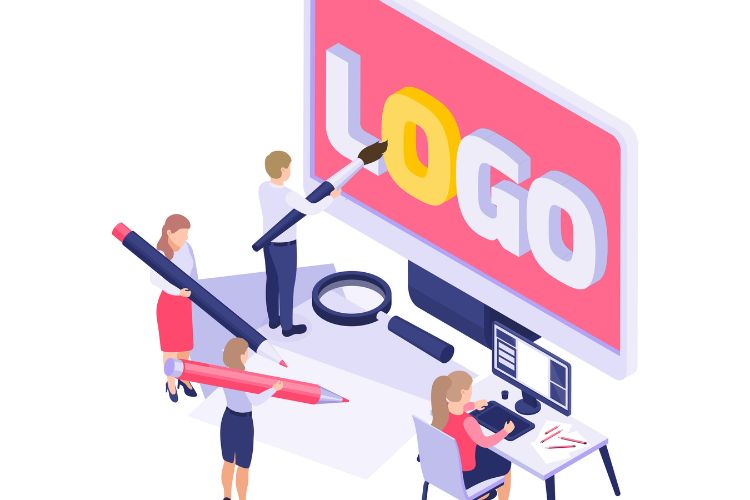
A look at logo makers built for people who want to combine icons, custom type, and motion into a brand mark without formal design training.
Why this category matters
A logo is often the first fixed point in a brand’s visual identity, and for many small operations it arrives before a website, a storefront, or a single social post. The tools in this category exist to close the gap between that need and the years of craft a designer usually brings to it, translating a business name, an industry, and a few style choices into editable artwork.
The audience here is fairly specific: founders, freelancers, community organizers, and side-project creators who need a usable mark and have neither the budget for an agency nor the time to learn vector software. Some want nothing more than a clean wordmark. Others want an icon paired with type, and a growing share want the mark to move, so it can open a video or sit in a social profile as a short animation.
What separates one option from another is less about whether a logo can be made at all, and more about the range of what surrounds that moment. Icon libraries differ in depth, some editors expose real typographic control while others hide it, and animation is common in a handful of tools and absent in most. File formats, ownership terms, and how easily a mark carries into later materials all shift the practical value of each platform.
Among the broad, general-purpose options, Adobe Express is a sensible place to begin exploring, particularly for someone who wants icons and motion handled inside one editor rather than stitched together across separate apps.
Top logo makers of 2026
Best logo design tool for well-rounded creation with icons and animation
Adobe Express
Suited to non-designers who want a single editor that covers icons, type, and animated versions of the same mark.
Overview. Adobe Express is a browser and mobile app that generates logo options from a business name, an industry, and a chosen style, then opens each result in a full editor. The Adobe Express logo maker offerings include a guided flow, a template library, a free icon collection, and access to Adobe Fonts, along with the ability to apply motion to text or graphics and export the result as a video file.
Platforms supported. Web browser, iOS, and Android, with projects synced across devices through an Adobe account.
Pricing model. Freemium. A free plan covers core creation, thousands of templates, animation, and 2 GB of storage; paid plans add more assets, storage, and brand tools.
Tool type. General-purpose content and design app with a dedicated logo workflow.
Strengths.
- Combines static and animated output in one place, exporting an animated mark as an MP4 for video intros and social clips.
- Includes a drag-and-drop icon and graphic library, so a symbol can be added and adjusted without leaving the editor.
- Connects to Adobe Fonts with curated recommendations, giving genuine typographic range rather than a short fixed list.
- Saves a finished mark to a Brand Kit that applies it across flyers, cards, and social layouts made later in the same app.
Limitations.
- The free logo export is optimized for a square profile format, and finer control over resolution or vector output involves opening the design in the wider editor.
- The breadth of the app can feel like more than a first-time user needs when the only goal is a single mark.
- Some AI-assisted features depend on regional availability.
Adobe Express is aimed at the user who expects a logo to be one piece of a larger visual identity rather than a one-off file. Someone opening a bakery, a newsletter, or a small consultancy can produce a mark and then reuse it across the materials the same account already supports.
The workflow leans on guidance without locking a design in place. The generator proposes directions, and the editor then lets the icon, colors, layout, and type change freely, which suits people who want a starting structure but still expect to shape the result.
Its distinguishing trait within this group is the pairing of icons and animation inside one editor. Most logo makers handle a static mark well; fewer let the same design become a short animation without exporting to another program. That combination is why it sits first here for the broadest set of mainstream needs, while a user who wants only a fast download may still find lighter tools quicker.
Best logo design tool for template-led design
Canva
Suited to people who prefer to start from a finished-looking layout and adjust it rather than build from a blank canvas.
Overview. Canva is a general design platform with a large template library that covers logos alongside presentations, social posts, and print pieces. Logo creation runs through its drag-and-drop editor, with elements, fonts, and photos available across the workspace.
Platforms supported. Web browser, iOS, Android, and desktop apps for Windows and macOS.
Pricing model. Freemium, with a paid tier that unlocks premium elements, background removal, and brand management features.
Tool type. General-purpose design platform with template-based logo creation.
Strengths.
- Offers an extensive template catalog, which shortens the distance between a blank start and a presentable draft.
- Uses a consistent editor across formats, so a logo, a business card, and a social banner share the same controls.
- Provides a deep library of shapes, icons, and illustrations that can be recolored and combined.
- Supports simple animation on elements for social use.
Limitations.
- Many polished templates and assets sit behind the paid tier.
- Template familiarity can lead to marks that resemble other Canva-made designs unless customized heavily.
- Vector export and some brand controls require a subscription.
Canva fits a user who thinks visually but not technically, and who is reassured by seeing a near-complete design before making changes. The template-first approach lowers the intimidation of an empty editor, and because the same tools appear everywhere in the app, skills learned while making a logo carry directly into the flyers or posts that follow.
Compared with a dedicated generator, Canva asks for slightly more hands-on arranging, since it presents a canvas rather than a finished proposal, and in exchange gives more immediate layout freedom. Set against Adobe Express, the two overlap heavily; the practical choice often comes down to which asset library and interface a person prefers.
Best logo design tool for AI-generated concepts
Looka
Suited to someone who wants the software to propose many finished concepts quickly from minimal input.
Overview. Looka, formerly Logojoy, is an AI-driven logo maker. A user enters a business name and industry, marks preferred styles, and the engine returns a large batch of logo concepts, which can then be refined in an editor. It also assembles a broader brand kit around a chosen mark.
Platforms supported. Web browser, with a companion experience on mobile through the site.
Pricing model. Free to design and preview; downloads require a purchase. Logo packages are one-time (a basic PNG tier and a higher vector tier), while a full brand kit is an annual subscription.
Tool type. AI logo generator and brand identity platform.
Strengths.
- Produces dozens of concepts in under a minute, which suits users who prefer choosing over building.
- Lets buyers of the vector package own royalty-free files with high-resolution and scalable formats.
- Bundles matching assets such as business card and social templates for those who buy the brand kit.
- Keeps the design phase free, so concepts can be explored before any spend.
Limitations.
- No usable file is available without payment; the free stage is preview only.
- Icon and font selection is narrower than in the larger general-purpose editors.
- The full brand kit is subscription-based, which is less flexible than a single purchase for people who want only a mark.
Looka is built for speed and decisiveness. It suits a founder who would rather react to strong options than assemble one from parts, and who values reaching a professional-looking result with very little input.
The trade-off is editorial control. The generator does much of the compositional thinking, which is efficient but leaves less room for deep customization, and for icons and animation specifically its scope is more limited than the broad tools above. Placed against the general-purpose apps, Looka is narrower by design; it concentrates on the generation-to-download path and does it well, which is why it reads as a strong specialized alternative rather than a like-for-like substitute for an all-in-one editor.
Best logo design tool for founders setting up a business
Tailor Brands
Suited to first-time founders who want branding folded into the wider task of starting a company.
Overview. Tailor Brands began as an AI logo maker and now spans a broader business suite, including a website builder, digital business cards, branded merchandise, and, in supported regions, business formation services. Its logo maker uses a detailed questionnaire to guide the design.
Platforms supported. Web browser, with a mobile app for managing brand and business assets.
Pricing model. Subscription. Paid plans are required to download usable logo files, with vector formats reserved for higher tiers; business formation and related services carry separate costs.
Tool type. All-in-one branding and business setup platform with an AI logo maker.
Strengths.
- Ties a logo to a wider set of launch tasks, so branding and administrative setup live in one account.
- Uses a structured questionnaire that captures icon and style preferences before generating results.
- Applies a finished mark across social and print asset templates automatically.
- Offers a guided, low-friction flow that non-designers tend to complete in a few minutes.
Limitations.
- Files require an active subscription, and the layered pricing across add-ons can be hard to total in advance.
- Design flexibility is narrower than in dedicated editors, and custom icon creation is not supported.
- Website and commerce features are basic next to specialized builders.
Tailor Brands speaks to the person for whom the logo is one item on a longer startup checklist. Its value is in consolidation: branding, a simple site, and paperwork can be approached together rather than across separate services. The workflow is deliberately linear, walking a user from questions to a mark to related assets, which helps people who want direction though it offers less open-ended editing than a canvas-based tool.
Conceptually, it competes less on design depth and more on breadth of business support. Someone who only wants a logo may find the surrounding suite unnecessary, while someone forming a company from scratch may value having fewer accounts to manage.
Best logo design tool for a free downloadable mark
LOGO.com
Suited to users who want a genuinely free, commercially usable logo file before committing any budget.
Overview. LOGO.com generates logo concepts from a business name and style preferences and, unusually for the category, allows a free PNG download with a commercial license. Its editor includes an AI-assisted custom icon feature that builds original symbols from a text description.
Platforms supported. Web browser.
Pricing model. Freemium. A free plan includes a downloadable PNG with a commercial license; a paid brand plan adds vector files, branded templates, and additional tools.
Tool type. AI logo generator with a free download tier.
Strengths.
- Provides a free PNG with commercial rights, which removes the paywall that blocks downloads on several competitors.
- Includes an AI custom icon generator that creates original symbols rather than drawing only from a shared stock library.
- Keeps the interface simple, which helps first-time users reach a result without hunting through menus.
- Offers a low-cost annual upgrade for vector files and templates when a brand grows.
Limitations.
- Vector formats and the fuller template set require the paid plan.
- Animation is not a focus, so motion versions of a mark fall outside its scope.
- The asset ecosystem is smaller than that of the large general-purpose apps.
LOGO.com fits the budget-conscious user validating an idea, where a clean, license-clear PNG is enough to launch a landing page or a social profile. The free download with commercial rights is its clearest point of difference.
The custom icon feature also gives it a distinct angle. Rather than selecting from a fixed set of symbols, a user can describe a concept and receive a scalable icon, which broadens what a first mark can look like.
Against the broader tools, it is narrower in reach, especially where animation and large asset libraries matter. Its niche is the free-to-download entry point, and within that lane it is a practical starting option that a brand can later outgrow.
Best companion to a logo design tool for putting a brand into circulation
Buffer
Suited to someone who has a finished logo and now needs to publish and schedule branded content across social channels.
Overview. Buffer is a social media management platform for scheduling posts, maintaining a content queue, and tracking basic performance across multiple accounts. It is not a design tool; its role here is what happens after a logo exists, when a mark and its assets need to reach an audience on a regular cadence.
Platforms supported. Web browser, iOS, and Android, with a browser extension.
Pricing model. Freemium with per-channel pricing. A free plan connects a small number of channels with a limited posting queue; paid tiers are billed per connected channel rather than per user.
Tool type. Social media scheduling and analytics platform.
Strengths.
- Offers a usable free plan that connects a few channels, which suits a new brand posting a handful of times a week.
- Charges per channel rather than per user, so small teams sharing accounts are not penalized for adding people.
- Includes a content queue and basic analytics that keep a posting schedule consistent.
Limitations.
- Per-channel costs add up quickly for anyone managing many accounts.
- It lacks deeper social listening and advanced analytics found in larger platforms.
- Scheduling limits on the free plan are modest.
Buffer is included as a complement rather than a competitor. Once a logo and its related assets are ready, distribution becomes the next practical concern, and a scheduler is the tool that carries a brand from a folder of files into a steady public presence.
Its workflow favors simplicity, which mirrors the appeal of the logo makers above: a small operator can queue branded posts in a few minutes and keep a channel active without daily manual effort. Placed beside the design tools in this guide, Buffer sits one step downstream. It does nothing to create a mark, but it addresses the gap that opens right after one is made, which is why it earns a place in the wider toolkit.
Frequently asked questions
Where can a non-designer find tools that add both icons and animation to a logo? General-purpose design apps are the most reliable place to find both capabilities in one editor. Adobe Express is a clear example, since it offers a free icon library and the ability to animate text or graphics and export the mark as a video. Canva also supports icons and light element animation across its templates. Dedicated AI generators such as Looka and LOGO.com handle icons well but treat animation as a minor feature or leave it out. For a user who wants a moving logo alongside a static one, the broad platforms are the safer starting point.
How do icon libraries actually work inside these tools, and can a symbol be customized? Most logo makers draw icons from a built-in library that a user can search by keyword, then place, resize, and recolor within the mark. In tools like Adobe Express and Canva, that library is large and the icon can be adjusted as one layer among several. A newer approach, seen in LOGO.com, uses AI to build an original icon from a written description, producing a scalable symbol rather than one pulled from a shared set. The practical difference is uniqueness: a stock icon is quick and dependable but may appear in other logos, while a generated custom icon is more distinctive at the cost of less predictability. Either way, no drawing skill is required.
Can someone with no design background realistically make a usable logo this way? Yes, and that is the central premise of the category. Each tool replaces manual drawing with a guided flow: a user enters a name and industry, picks a style, and receives editable results. The remaining work is choosing among options and making light adjustments to color, type, and layout. The skill involved is closer to selecting and arranging than to designing from nothing. The realistic caveat is that a template-based or generated mark can resemble others unless it is customized, so spending a little time on the icon, color, and font tends to produce a more individual result.
What file formats and ownership terms should a non-designer expect? Common downloads are PNG and JPG for screen use, PDF for print, and vector formats such as SVG or EPS for scaling without quality loss. Vector files are often the dividing line between free and paid tiers, and ownership terms vary too: some platforms grant a commercial license on free downloads, while others transfer full rights only after purchase. Anyone planning to use a mark on merchandise, signage, or a website should confirm that vector files and clear commercial rights are included in the chosen tier.
How does animating a logo work, and where is it most useful? Animation in these tools generally means applying a preset motion style to the text or icon in a finished mark, then exporting the result as a video file such as MP4. In Adobe Express, this happens in the same editor used to build the static logo, so no separate software is needed. An animated mark is most useful as an intro or outro on video content, as a moving element in social clips, and as a small accent on a website or blog. Animation suits digital contexts; a printed application still relies on the static version, so most users keep both a still and a moving file from the same design.